Design venue layouts, simulate thousands of real-time agents, evaluate risk hotspots, and generate official safety certificates with our high-fidelity crowd management suite.
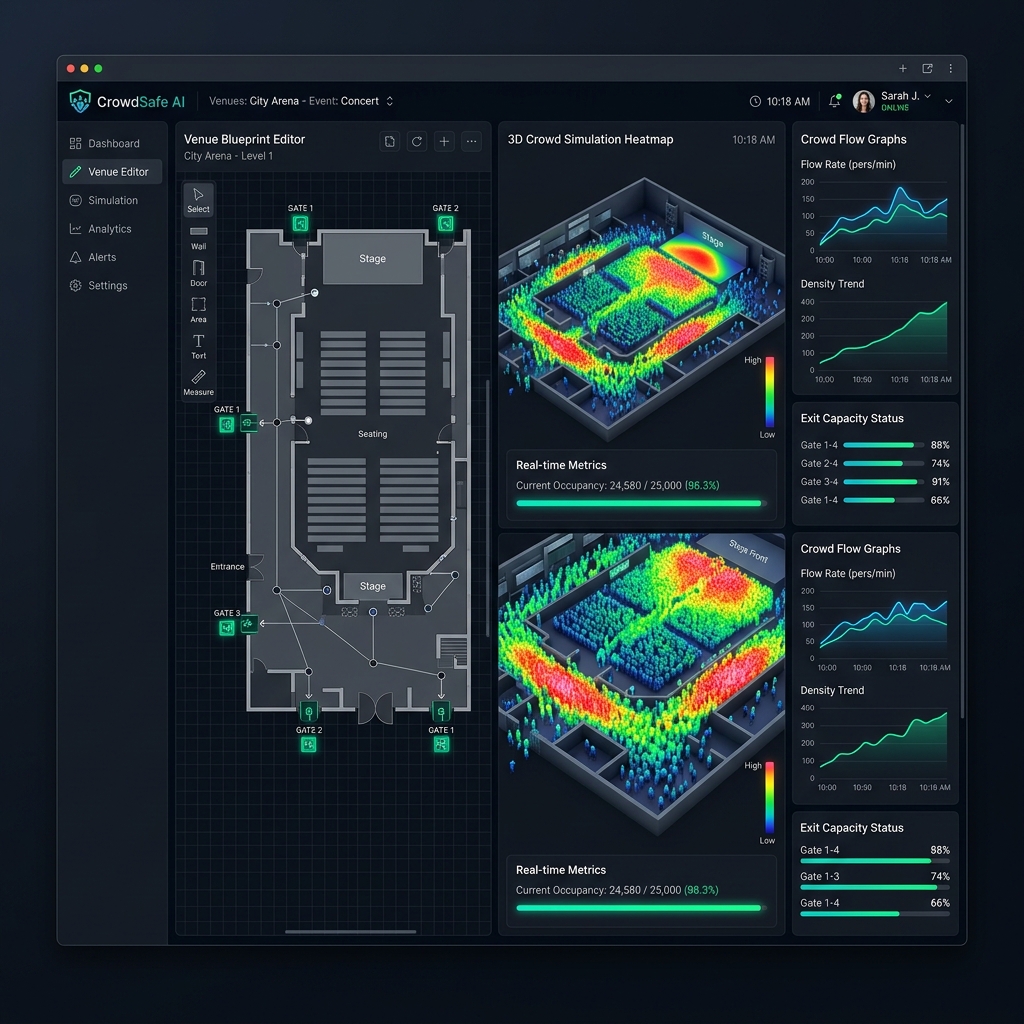
Discover the powerful toolkit designed to map, simulate, and optimize venue operations for emergencies and peak capacities.
Draw structures, place exit gates, walls, and roads with a few clicks. Position critical assets like stages, booths, and temples.
Simulate thousands of individual virtual agents moving through your environment. Modify behavioral rules, speed, and target goals.
Test evacuation preparedness under panic. Trigger emergency scenarios such as fire, blockages, or stampede conditions instantly.
Toggle live 2D heatmaps to see high-risk congestion spots. Watch colors change dynamically as agents crowd or disperse.
Kickstart your modeling using digital twin layouts modeled on real-world structures like Temples, Sports Stadiums, and Rally grounds.
Extract complete analytics reports. Generate official, shareable compliance safety certificates after satisfying security thresholds.
Switch between views to understand how CrowdSafe AI enables complete safety planning.
The Interactive Blueprint Editor allows planners to construct walls, define open roads, place entry points, and assign exit gates. It handles multiple crowd sizes and gives real-world scale calculation warnings.
Run high-fidelity simulations. Watch virtual agents move using specialized collision avoidance and target-seeking algorithms. Adjust entry rates, trigger blockades, and analyze immediate evacuation times.
Retrieve complex statistics, area-wise crowd distributions, flow rates, and safety parameters. Test templates based on actual venues (e.g. rally stadiums), print standard compliance scores, and download PDF safety certificates.
CrowdSafe AI runs entirely locally on your machine. All paths, blueprint layouts, and simulation analytics are stored locally on your device to ensure maximum privacy and security.
Windows 10 / 11 (64-bit)
Intel Core i5 / AMD Ryzen 5 or equivalent
8 GB RAM (16 GB Recommended) • 250 MB Free Space
Java 21+ (Bundled inside ZIP runtime, no installation required)
Download the portable Windows package. Start drawing layouts and simulating crowds instantly with no complex setups or cloud subscriptions.
Download the ZIP archive to your local drive.
Right-click the ZIP and extract contents to a folder.
Open the folder and run CrowdSafe AI.exe.